For property owners
Find the right renters for your property.
FlatFlick is used by students and young professionals looking for rooms, PGs and flats in the Tricity. Listing is free, and enquiries come straight to you.
Why list on FlatFlick
Built for the renters you want.
Reach relevant renters
The people searching on FlatFlick are looking for exactly what you're offering — a room, a PG bed or a flat in the Tricity.
Better visibility
Verified listings with on-site photos and complete details stand out from text-only classifieds.
Direct enquiries
Renters message you in the app. There's no agent, no forwarding and no commission on the tenancy.
Listing management
Update rent, change the available-from date, add photos, or pause the listing the moment the room is taken.
Property management tools
Keep several properties under one account and see the enquiries for each of them separately.
Better communication
Questions, visit timings and follow-ups stay in one thread per renter instead of scattered calls.
Listing a property
Five steps from empty room to enquiries.
- 01
Create listing
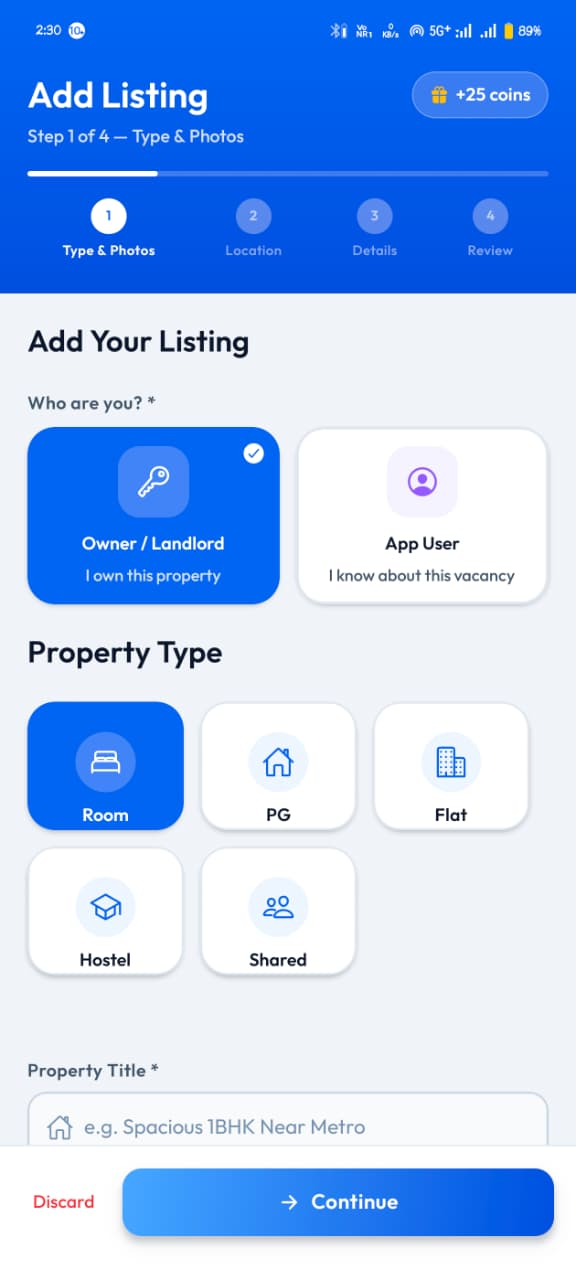
Start a listing for the room, PG or flat you want to let.
- 02
Add details
Rent, deposit, furnishing, available-from date and house rules.
- 03
Get verified
A team member visits and photographs the property on site.
- 04
Receive enquiries
Renters contact you directly through the app.
- 05
Manage it
Edit, pause or relist whenever the property changes hands.
01 • YOUR LISTING
Describe it properly once.
A complete listing saves you repeat phone calls. Rent, security deposit, furnishing, parking, meals, house rules and who the property suits are all part of the form.
- Room type, furnishing and availability
- Rent and security deposit stated clearly
- House rules and tenant preferences
- On-site photos added during verification
02 • ENQUIRIES
Answer the people who are actually interested.
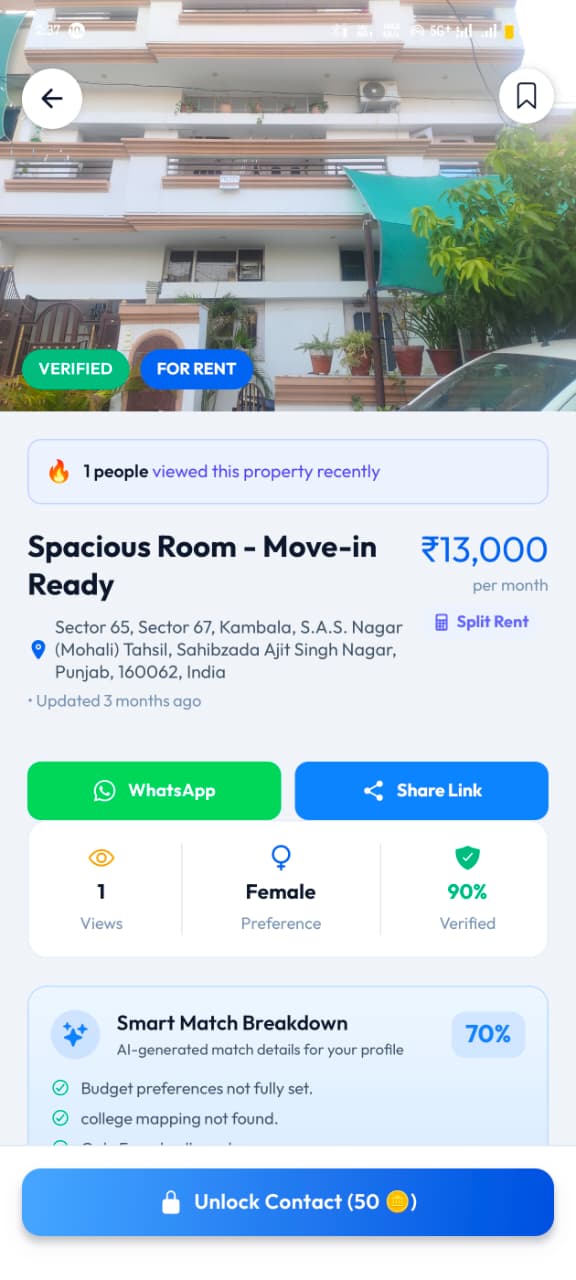
Renters see the rent, the area and the property details before they reach out, so the first message is already about the actual place. Interested renters unlock your contact and continue on WhatsApp or a call.
- Enquiries come from renters who saw the full listing
- Continue on WhatsApp or a call
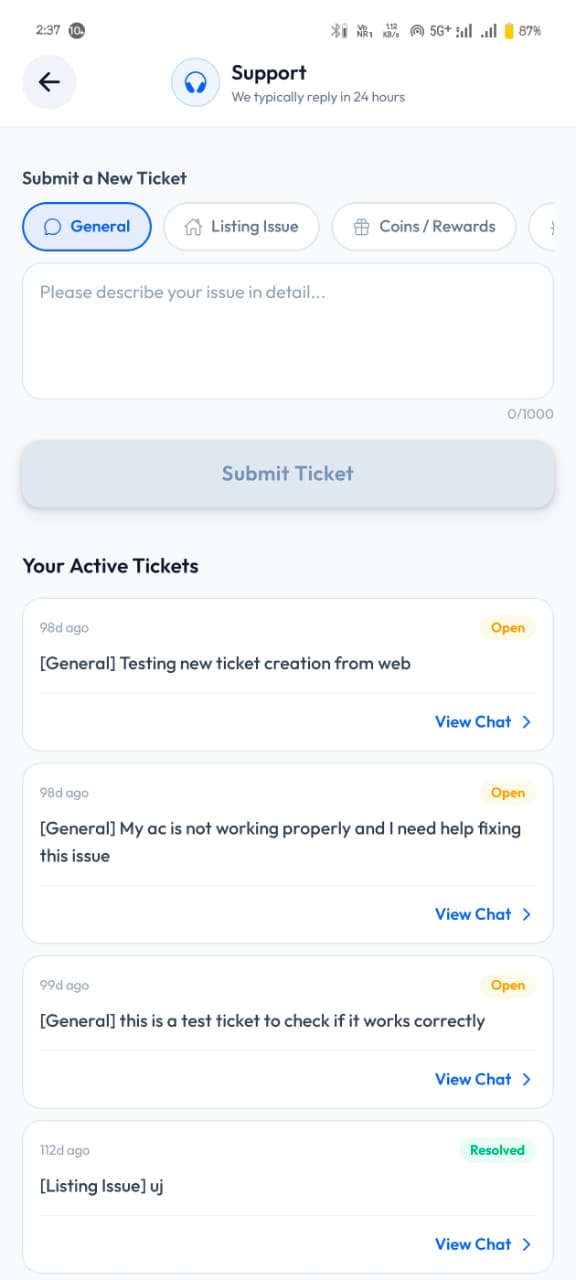
- Raise a support ticket if a listing needs a fix
- Support replies stay in one place inside the app
List your property for free.
Submit your listing online in 2 minutes or download the app for real-time lead management.